
Past Projects

Software We've Built

A look at real products built for real problems.

A complete equity management platform for startups and private companies. The live demo showcases:

Cap Table Management Real-time ownership breakdown across share classes (Common, Preferred Series A/B), with automatic vote-weighting and fully diluted views.
Digital Share Certificates Auto-generated, branded certificates for every shareholder, with company logo and watermark support.
Voting Rights Dashboard See voting power by shareholder and by share class, including preferred-stock vote multipliers.
Transaction Ledger Issuances, transfers, and cancellations tracked with full audit history.
Convertible Debt & Bond Conversion Model note conversions and interest issuance directly against the cap table.
Shareholder Self-Service Portal Investors log in to view their own holdings, download certificates, and pull reports — without seeing anyone else's data.
Role-Based Access Admins, viewers, and shareholders each see exactly what they should.
CSV Import & Backup/Restore Bulk-load historical data or restore from backup in seconds.
Bespoke Solutions

Built for One Business, Not the Market

Private, client-specific systems built to fit one business's exact workflow. They aren't public products, so there's no demo to click through — but here's what they actually do.

Two connected systems built for an education institute — one for the staff running it, one for the students learning through it. A student's enrolment in the Portal determines exactly what they can see in Learn, so the two work as a single pipeline even though they're built as separate, purpose-fit apps for two different audiences. Both are private — staff and students only, no public access.

ILCL Portal — for admin staff & teachers
Enrolment & Approvals New sign-ups from the public website's enrolment form land here for staff to review and approve before a student goes live.
Subject & Teacher Assignment Students are assigned to subjects and matched with the right teacher.
Schedule Sync Class schedules stay in sync with Google Calendar automatically.
Attendance Tracking Attendance logged per class, per student.
Fee Logging & Collection Fees are tracked and recorded as they're collected.
AI-Assisted Assessment Reports Monthly student assessment reports drafted with AI assistance, then reviewed by teachers before sending.
Role-Based Access Admins see the whole institute; teachers only see their own students.
ILCL Learn — for enrolled students
Curriculum-Matched Material Study material shown is matched to the student's curriculum (National, Cambridge, or Edexcel) and grade level.
Subject Pages, Past Papers & Worksheets Organized by the exact subjects a student is enrolled in — nothing they aren't taking, nothing they can't access.
Enrolment-Driven Access What a student can see in Learn is controlled directly by their enrolment record in the Portal — no separate access management needed.

Built for a business juggling several income streams and a shared cash pool with an affiliated company — one that looked profitable on paper but kept running short on actual cash. The system closes that exact visibility gap:

Structured Entry, Not Spreadsheets Replaces scattered paper books and spreadsheets with structured entry screens for every income stream.
Enter-Then-Approve Workflow The bookkeeper enters every record, the client approves it — nothing hits the books unverified.
Daily Bank Reconciliation Reconciles daily bank positions down to the real transactions behind any gap, instead of vague catch-all adjustments.
Live Cash Position Dashboard Shows actual available cash — accounting for pending obligations, not just what's sitting in the bank.
Shared Cash Pool Tracking Tracks cash flow across a shared pool with an affiliated business, not just one set of books in isolation.
Bulk Data Entry The bookkeeper can migrate a backlog or batch-enter new records without slowing down daily operations.
Mobile Apps

Mobile Apps

Mobile apps built around how your customers and team actually work. Featured: Bill Eka, an Android app that turns supermarket receipts into clear grocery budgets.
View Bill Eka → Discuss Your App
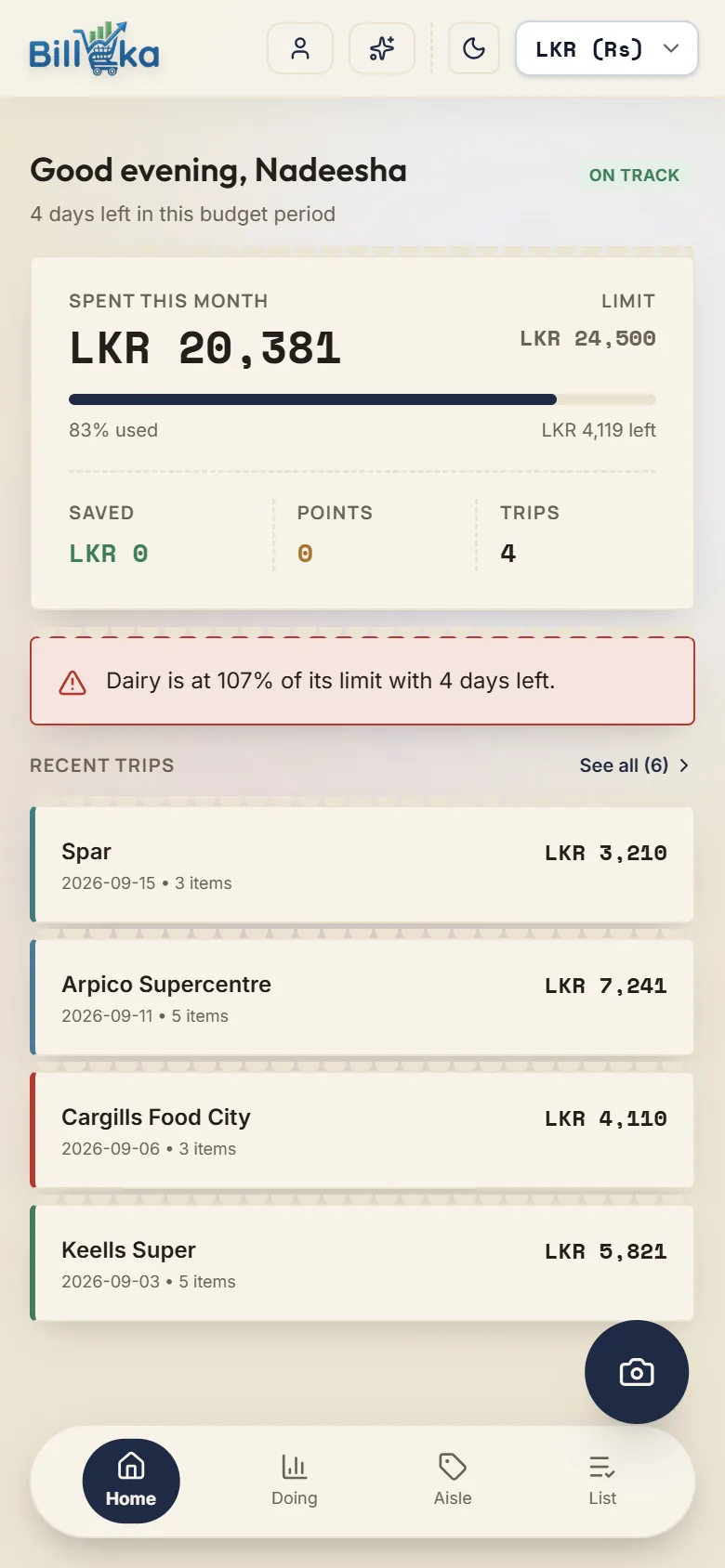
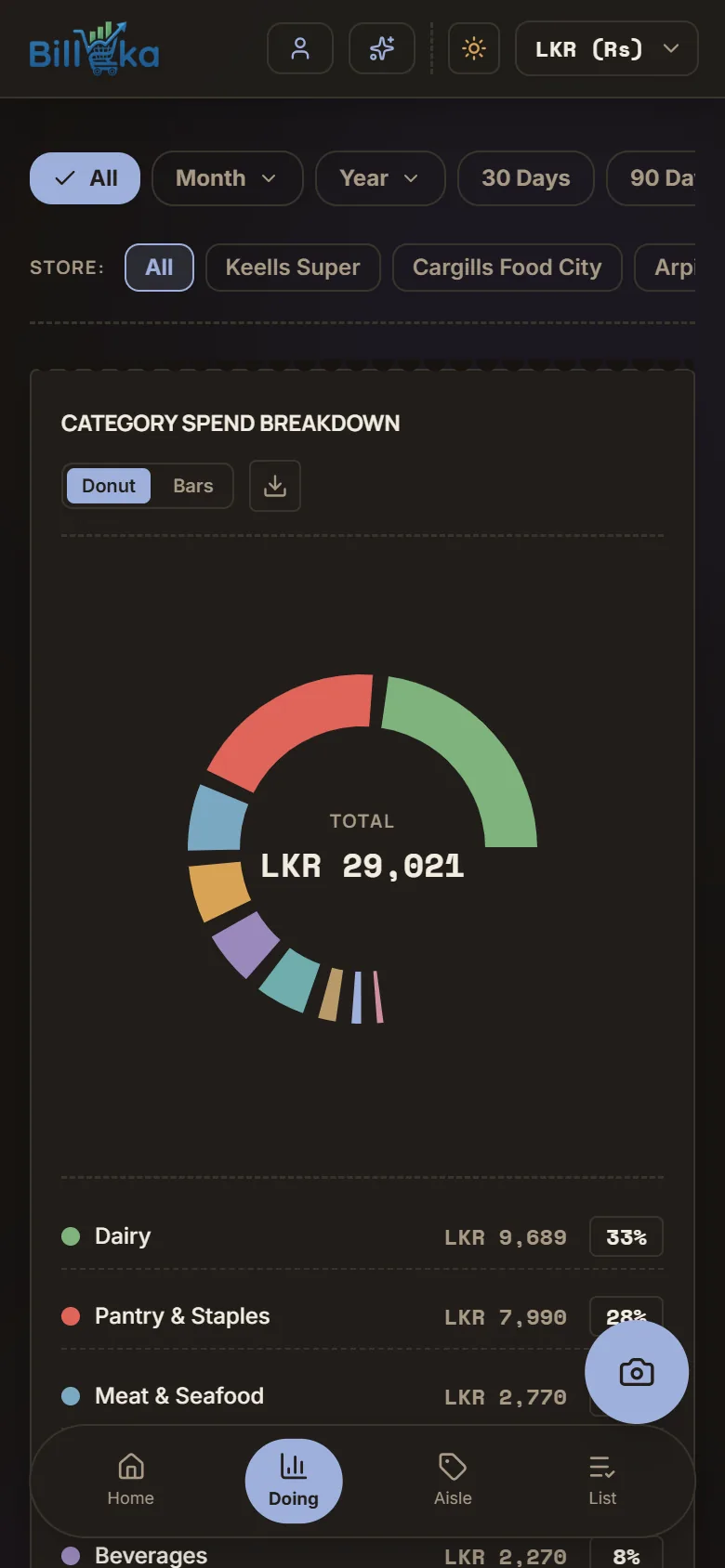
Bill Eka home screen showing spending this month against a budget Bill Eka dark mode showing spending by category as a donut chart

An Android app for weekly grocery shoppers in Sri Lanka. It reads supermarket receipts with AI, tracks spending against category budgets, and shows what you have really paid for each item across stores. Built for Android 7.0 and newer, with a Google Play release coming soon.

AI Receipt Scanning Reads items, quantities, prices and store discounts from photos, PDFs and email receipts, including multi-page receipts and batch scans.
Review Before Saving Every scanned item, price and category is shown for you to check and correct before anything is saved.
Category Budgets Weekly or monthly limits per category, with a heads-up before you overspend.
Spending Insights Charts by category, store and time period, with CSV export whenever you want your own copy.
Price Comparison See what you paid for the same item at each supermarket and how prices have moved over time.
Smart Shopping List Suggests what you usually buy and projects what your list would cost at each store you have shopped in.
Loyalty Points Keeps your supermarket loyalty point balances next to your spending.
Privacy by Design Receipt photos are deleted right after scanning, data is encrypted in transit, there are no ads, and you can delete your account from inside the app.
Get Started

Have a Software or App Idea?

Book a free call and we'll talk through what you need — every project is scoped and quoted individually.

Book a Free Call →